Keep your Mac awake: Without changing your sleep settings, even with the lid closed
- 14-day free trial
- $14.99 once, then $19
- macOS 14+
- No account
What is Keep Awake?
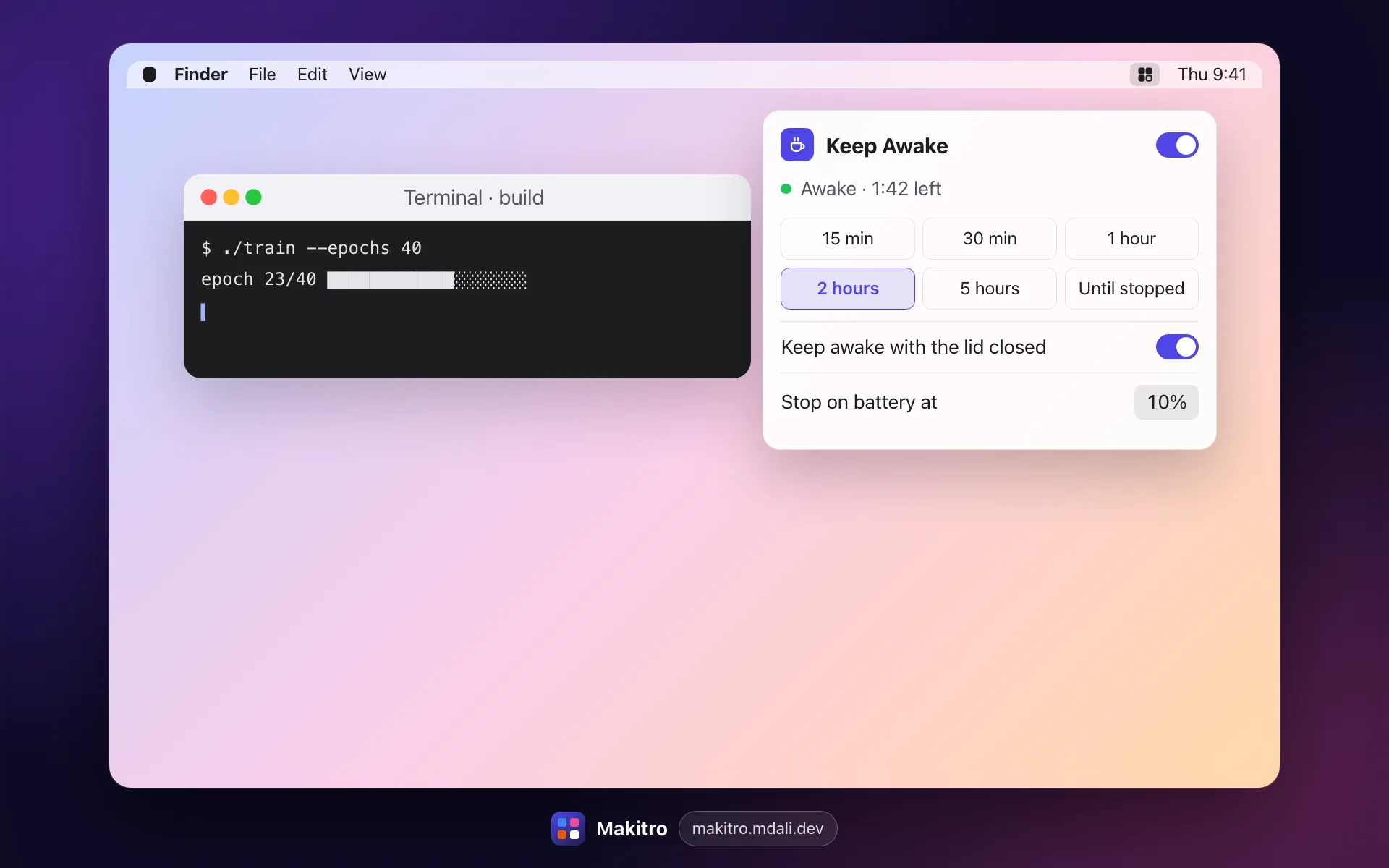
Keep Awake stops your Mac from going to sleep while a download, build or AI agent runs, without touching your energy settings. Turn it on from the menu bar for 15 minutes up to 5 hours, or until you stop it. It can keep running with the lid closed, and it stops by itself when the battery runs low. It runs on macOS 14 Sonoma and later.
Using Keep Awake
- Turn on Keep Awake on its page in Makitro. It's off by default.
- Start a session from the menu bar: 15 or 30 minutes, 1, 2 or 5 hours, or until you stop it.
- Optionally turn on Keep awake with the lid closed, to keep a job running with the MacBook shut.
- On battery, the session ends at 10% by default. Choose 20%, or turn the limit off.
What makes Keep Awake different
Your settings stay yours
Makitro holds the Mac awake for the session and lets go after. Your sleep and energy settings never change.
Lid closed, without a display
With the option on, a MacBook keeps running with its lid shut, no external monitor needed. The normal lid behaviour comes back when the session ends, when Makitro quits, or at its next launch.
Won't run your battery flat
On battery, the session stops at the level you choose, so a Mac left awake in a bag doesn't die.
No admin password, no helper
Keep Awake uses the standard macOS power APIs. It installs nothing and asks for no permission.
Questions about Keep Awake
Want the whole story? Read the guide: How to keep your Mac awake without changing your sleep settings.
Using Amphetamine? See how Makitro compares with Amphetamine.
How do I keep my Mac awake without changing settings?
In Terminal, the built-in caffeinate command keeps the Mac awake while it runs (for example caffeinate -i). Makitro does the same from the menu bar, with a timer, a low-battery stop and an option for the lid closed.
Can my MacBook stay awake with the lid closed?
macOS normally sleeps when you close the lid unless an external display, keyboard and power are connected. With Keep awake with the lid closed on, Makitro keeps it running without them, until the session ends.
Will my download finish if the Mac goes to sleep?
Usually not: sleep pauses downloads and network jobs. Start a Keep Awake session before you walk away and the Mac stays awake until the session ends.
Does it need an admin password or a helper?
No. Keep Awake uses the standard macOS power APIs, installs no helper and asks for no permission, even for the lid-closed option.
Get Keep Awake and the rest of Makitro
One download for all eight tools. Turn on only what you use: a tool that's off runs nothing.