How to keep your Mac awake without changing your sleep settings
A download, a build or an AI agent dies when the Mac sleeps. The built-in caffeinate command, the settings, and the lid-closed rules.
When a Mac goes to sleep, downloads pause, builds stop, an AI agent like Claude Code stops mid-task, and a long job you left running doesn't finish. You could change the sleep settings and remember to change them back. Or you can keep the Mac awake just for as long as the job needs.
Keep your Mac awake from Terminal: caffeinate
Every Mac has a Terminal command called caffeinate. While it runs, the Mac doesn't go to sleep. When it stops, your normal settings apply again: nothing to undo.
- Open Terminal (Applications › Utilities).
- Type
caffeinate -iand press Return. The Mac stays awake while the command runs. - Press ⌃C to stop it, or close the Terminal window.
A few useful variations:
caffeinate -dalso keeps the display on.caffeinate -i -t 3600stops by itself after an hour (the time is in seconds).caffeinate -i make buildkeeps the Mac awake exactly as long as that command runs.
Every option is in its manual: type man caffeinate in Terminal.
Prevent sleep when plugged in: the settings way
On a MacBook, System Settings › Battery › Options has a switch to prevent automatic sleeping on the power adapter when the display is off. It's permanent until you change it back, which is fine for a desk Mac and wasteful for a laptop you carry around. Apple's guide: Set sleep and wake settings for your Mac.
Keep your Mac awake with the lid closed
Closing a MacBook's lid puts it to sleep. macOS keeps it running with the lid shut only in clamshell mode: an external display, a keyboard or mouse, and power, all connected. Without a display, neither caffeinate nor the settings above keep a closed MacBook awake. Apple explains the setup in closed-display mode. Working that way with a monitor? Here's how to control its brightness from the Mac.
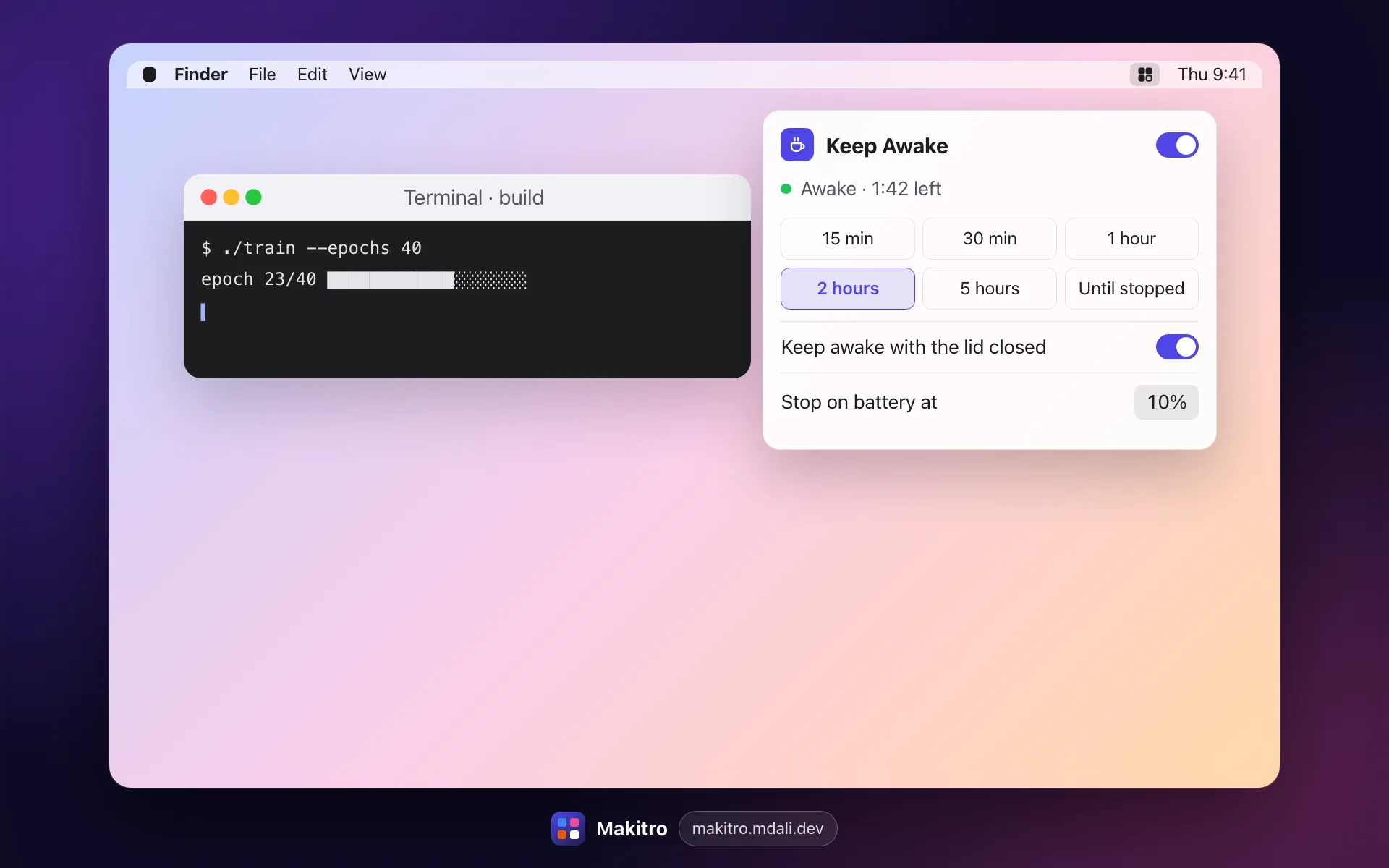
Makitro's Keep Awake does what caffeinate does, from the menu bar, with the parts you'd otherwise have to remember:
- Sessions of 15 or 30 minutes, 1, 2 or 5 hours, or until you stop it.
- An option to keep running with the lid closed, no external display needed.
- On battery, it stops by itself at 10% (or 20%, or never), so the Mac doesn't run flat in your bag.
- No admin password and no helper: it uses the standard macOS power APIs.