Alt-Tab for Mac: That switches between every window, not just apps
- 14-day free trial
- $14.99 once, then $19
- macOS 14+
- No account
What is Window Switcher?
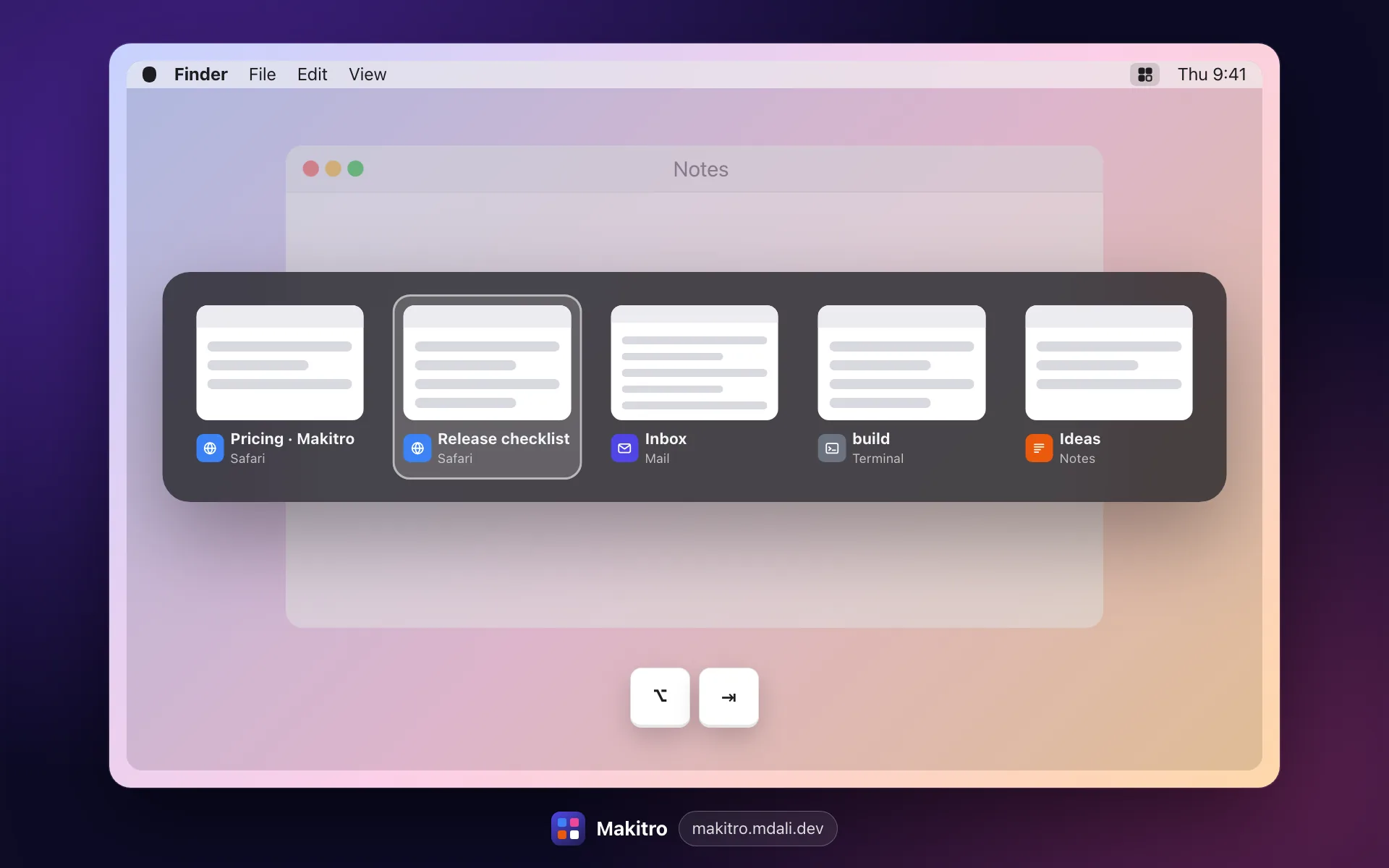
Window Switcher brings Alt-Tab to the Mac: hold Option, press Tab, and every window of every app appears, most recently used first. ⌘Tab switches apps, so two windows of one app take extra steps; here they're one keypress apart. Release Option to switch. It runs on macOS 14 Sonoma and later.
Using Window Switcher
- Window Switcher is on by default. Open its page in Makitro to check.
- Click Grant Access… and allow Makitro in System Settings › Privacy & Security › Accessibility.
- Hold ⌥ and press Tab. Every open window appears, most recent first.
- Press Tab again to move along, and release ⌥ to bring that window forward.
What makes Window Switcher different
Windows, not apps
Two browser windows, or two documents in one app, are separate cards, in the order you last used them.
Previews only if you've already said yes
If you've allowed Screen Recording for Screenshot, cards show small window previews. The switcher never asks for that access itself; without it, cards show app icons.
Titles stay private
Window titles and previews are shown only while you hold ⌥Tab. They're never saved to disk, sent anywhere, or shown in screen shares.
Off means off
When Window Switcher is off, ⌥Tab is left alone and nothing runs.
Questions about Window Switcher
Want the whole story? Read the guide: How to switch between windows on a Mac, not just apps.
Using AltTab? See how Makitro compares with AltTab.
How do I switch between windows of the same app on Mac?
macOS uses ⌘` (Command and the key above Tab) to cycle windows of the front app, and Mission Control to see them all. Makitro's ⌥Tab shows every window of every app in one list, most recent first.
Why does it need Accessibility access?
Listing other apps' windows and bringing one forward needs Accessibility access in macOS. Makitro asks only when you click Grant Access….
Does it show minimized windows?
Yes. Hidden and minimized windows are in the list, and choosing one brings it back. With previews on, they show how they looked when last seen.
Does it replace ⌘Tab?
No. ⌘Tab keeps switching apps as usual. Window Switcher uses ⌥Tab.
Get Window Switcher and the rest of Makitro
One download for all eight tools. Turn on only what you use: a tool that's off runs nothing.