How to switch between windows on a Mac, not just apps
⌘Tab gets you to the right app and the wrong window. Every built-in shortcut for windows, and when each one helps.
⌘Tab is the first shortcut most Mac users learn, and it switches apps. With two browser windows or two documents open in the same app, it takes you to the app and leaves you on whichever window was last in front. macOS has several ways to reach the right window. Here's when each one helps.
⌘` : switch between windows of the same app
Press ⌘` (Command and the key above Tab on a US keyboard) to move to the next window of the app you're in. Add Shift to go the other way. It's the quickest way between two windows of one app, but it only works inside the front app and shows no preview of where you'll land. Apple lists it with the other Mac keyboard shortcuts.
⌘Tab, then the down arrow
Hold ⌘, press Tab until the app is highlighted, then press ↓ while still holding ⌘. macOS shows all of that app's windows, and you can pick one with the arrow keys and Return.
Mission Control and App Exposé
- Mission Control (⌃↑, or the Mission Control key) spreads out every window on the current desktop. Click the one you want.
- App Exposé (⌃↓) shows only the front app's windows, including minimized ones at the bottom.
Both are good when you need to see everything at once, and slow when you just want to go back to the window you were in a moment ago. Apple's guide: View open windows and spaces in Mission Control.
What's missing: Alt-Tab for Mac
None of the built-in shortcuts give you every window of every app, in the order you last used them, on one key. That's what Windows users get with Alt-Tab, and what a window switcher adds.
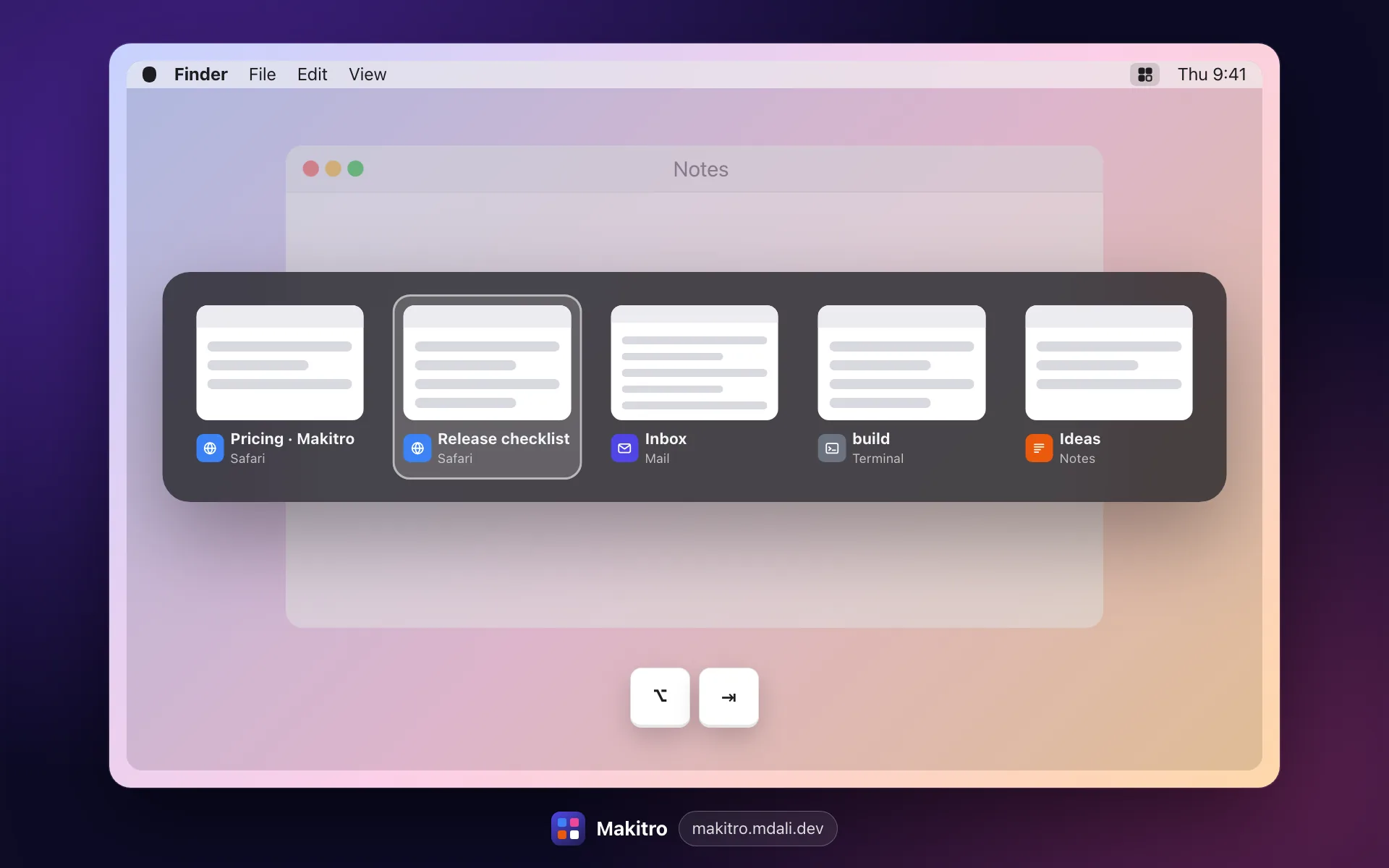
Makitro's Window Switcher shows every window of every app when you hold ⌥ and press Tab, most recent first. Press Tab to move along and let go of ⌥ to switch. Two windows of the same app are one keypress apart, and minimized windows are in the list too.
It needs Accessibility access to list and raise windows (why some Mac tools need it). ⌘Tab keeps working as usual, and with the switcher turned off ⌥Tab is left alone.